Say “hi” to the Aussie at Computers in Libraries

Uncategorized

If you’re at Computers in Libraries 2007, in Washington D.C., look out for Michelle McLean, aka the Connecting Librarian.

She’s giving a paper about “Library 2.0 Initiatives in Australia” (C104 at 2:15 pm on Monday afternoon). She has a wiki page on the CIL 2007 wiki if you want to arrange to meet up with her.

Michelle received a Ramsey Reid Scholarship to attend the conference and also to study virtual services in selected public libraries on the East Coast. I’m following her adventure via twitter, flickr and her blog. Almost as good as being there with her.

Filtering our libraries

Uncategorized

The Australian government wants to help families use the internet safely. Last June they announced they would spend $116.6 million on their Protecting Families Online initiative. A key part of this is $93.3 million to provide free filtering software to families and public libraries.

Yesterday, the Australian Library and Information Association posted a survey for public libraries on the website, explaining that (emphasis theirs):

Libraries that take part in the [free filtering] initiative will be able to access ongoing technical advice from their preferred filter vendor. In addition, general online safety information can be accessed through the NetAlert website at http://www.netalert.net.au/ or via their free information hotline on 1800 880 176.

DCITA has been working with the Australian Library and Information Association with the aim of ensuring the filtering needs of libraries are adequately addressed. The following questionnaire is designed to assist in this process and reflects a collaborative undertaking between DCITA and ALIA.

At best, their position is neutral. This seems at odds with their “advocacy” page about Online Content Regulation, which is quite strongly against filtering and states that:

ALIA supports the basic right of library and information services users to unhindered access to information regardless of format.
…
Filtering software
ALIA does not recommend the use of internet filtering technology in public libraries. Filtering has been shown to vary in its effectiveness, blocking some sites with useful and legal information, while not fully protecting children and others from illegal, objectionable or offensive material.

ALIA urges the Tasmanian government to reverse its decision to introduce filtering software
ALIA wrote to The Tasmanian Minister for Education, The Hon Paula Wreidt MHA, on 15 December 2005 urging her to reverse her decision announced on 10 December 2005 to use filtering software in public libraries and Online Access Centres in Tasmania.

A few things about the government initiative disturb me. This bit of the minister’s press release reminds me of the provisions of the proposed DOPA (Deleting Online Predators) Act in the US, where funding was contingent on libraries regulating who accessed what:

As part of the implementation of this package the National Library of Australia will be required to provide filtering on all of its public access Internet terminals, with the option of disabling the filter when the terminals are being used by adults.

In conjunction with the responsible State, Territory and Local Governments, libraries will be encouraged to mirror the action required of the National Library of Australia and make as many of their computers as possible child-safe.

Five million dollars has been spent on NetAlert, an internet safety education site for families. Some of the information on the website is fine. It even defines unreliable information on the internet – although it doesn’t then suggest how to deal with it. (Pick us, pick us!!!)

The centrepiece to which most pages link is “A Parent’s Guide to Internet Safety“. I couldn’t find a date on the report, but it mentions plans to create and Internet Safety Education Program for Teens in “2005/2006”. Not good enough. The web is evolving too quickly.

If I wanted to have a cheap shot, I could point out the ironic juxtapositon of these two dot points outlining how to keep your teens safe (emphasis mine):

  • Keep the computer in a public area in the home
  • Reinforce safety messages and cyber rules. NetAlert has created house rules and Internet safety contracts to help families create Internet safety strategies. Younger teens in particular should be reminded of the need to protect their privacy

This suggestion from the How Do I Supervise the Internet At Home page, probably doesn’t bug most people, but as someone who is trying to teach my kids critical thinking and to find their own values, it bugs me:

Take an interest in the new sites children are finding online and spend time exploring with them. This will help children retain your values for when they are working alone.

In our house, we do restrict Mr4 and Mr9’s viewing, allowing them each day just one hour of “screen time” (ie. leisure on the PC or in front of a DVD). We are careful about the movies they watch and the books they read – to an extent that they are possibly shocked when they see the type of TV violence that I guess their peers see all the time. I’m still shocked, disturbed and depressed by much violence on the screen, and the disrespect between people shown there. I guess I am trying to get my kids to retain my values in that case.

Would we filter the internet? No. I don’t think that filters work technically. I think having a standardised, nation-wide filter is an invitation to a standardised, nation-wide hack. I want to be open to discuss with my kids what they are seeing and exploring, rather than banning it.

It’s my responsiblity to help them evaluate and learn to use the internet safely. That’s really the crux of my discomfort with filtering in public libraries – it’s shifting the responsibility from parents to the libraries. I’m hypocritical and confused enough with how to help my own kids be safe around the ‘net – I just don’t think we should have responsibility for doing this for other peoples’ kids.

Another look at Facebook

Uncategorized

Around June last year, I set up a Facebook account. Why? Because – like the twitter account we set up in December – CW was playing there and I wanted to be cool too. I didn’t think much more about it until two or three weeks back when someone found my profile and friended me.

Facebook is like “grown up” MySpace. Initially membership was restricted only to people with an .edu prefix in their email, as it was aimed at making sub networks based on school/university populations. Now membership is open and you can join a regional network if you don’t want to /can’t join an educational network. I suspect this changed last year when students who outgrew MySpace were transferring to Facebook, but some were excluded due to their email address.

Three things I discovered delighted me:

1) There are 8 groups on my local university network: Murdoch Ice Hockey Team , Murdoch Ultimate , R.U.M. (Rugby Union at Murdoch) , The Iron Chefs of Murdoch , The really really really ridiculously good looking people in murdoch , ABA [aussie bogans annonymous] , MMA (Murdoch Malaysian Association) and the Wii Bowling 240+ club . There are quite a few more which are global with the name “Murdoch” in them, including the Murdoch uni students past or present (2 members), but most of them are protesting about media ownership byMr-ex-Aussie-Rupert.

2) There are 67 groups with “library or librarian” in the title. Most are based on undergrad humour, eg. my goal in life is to bang in the library. , but there is a smattering of vaguely serious and “friends of the library” type groups. Cruelly, the Im a librarian, but im not old, i dont own many cats, and work nights. group appears to be a high school prank….otherwise I would have jumped on that bandwagon.

3) It is easy-peasy to find people you already know using the invite option. If you nominate a Yahoo, Hotmail, AOL, Gmail or MSN address book, it will check to see whether those people have Facebook pages. Then you can just tick the boxes and select “send”.

I was really, really irritated by the difficulty of searching for groups or within your own network. A search for “University of Western Australia” on the Search Groups page retrieved Murdoch University Alumni. (63 members). A search for “murdoch alumni” did not. I tried to find out how many profiles were within the Murdoch network and I just couldn’t work out how to do it. Any one fare better than I did? Tell me the trick…please.

Lazy Easter patchwork post

Uncategorized

I’m taking Easter off from PCs ‘n’ stuff, I think. I don’t even have a suitably thoughtful post to keep at the top of the aggregator for the next week..so four disjointed, lazy woman bitties…..

1. A GROSS GENERALIZATION BASED ON A HUNCH WITH NO EVIDENCE TO BACK IT UP

The biblioblogosphere has seemed a bit quiet in the last couple of months. Is it because many of our libraries are implementing the projects we’ve been jumping up and down about in the last year?

Last year there was a lot of “Wow..this stuff is so COOOOL and I think we could use it in our libraries, maybe..why doesn’t my workplace GET IT”. Now it seems to be more often “I’ve been asked to talk to a roomful of my colleagues about this Cool Stuff”.

I think there’s a glimmer of “I’m setting up this really great project using the tools I was speculating about last year”..and even “one of my colleagues had this great idea how we could use this stuff”. Maybe I’m just projecting….

2. WHAT THEY SAID

Ever find yourself nodding and saying “aha, aha, yep, aha” all through a post?. Here’s three from the last 24 hours, where the only thing I have to say more on the topic is “what they said”.

3. AN IMAGE

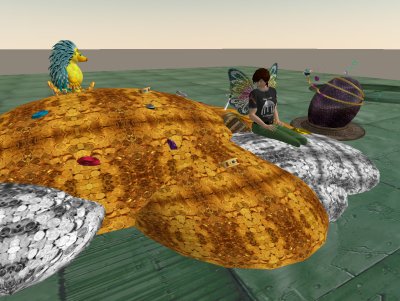
hedgehog_001.jpg


Emerald Dumont talks to BrianA Corleone atop his treasure trove and hopes the dragon’s egg will hatch.

4. A CLIP

Via HeyJude

David Berlind, Managing Editor of ZDNet describes mashups in a way that makes me understand where APIs fit in the mashup food chain.
[kml_flashembed movie=”http://www.youtube.com/v/U9sENSA_sjI” width=”425″ height=”350″ wmode=”transparent” /]

Embedded video: What’s a mashup

YouTube and Libraries

Uncategorized

I gave a half hour presentation at MPOW about YouTube and Libraries.

I spent about 5 minutes at the start looking at what made it a social site:

  • Ratings
  • Video Responses
  • Profiles
  • Goups
  • Community tab
  • Comments
  • Most linked, most viewed etc.
  • Citizen journalism and everyday folk
  • Copyright violations – take don’t ask
  • Favourites
  • Playlists

I then played clips that illustrated these uses:

  • Library promotion
  • Library events
  • Information literacy
  • For librarians – new ideas
  • For librarians – staff development
  • Libraries in the news
  • Library recruitment
  • To remind us just how far we’ve come.

Here’s the wiki page where I embedded the clips, YouTube and Libraries.

Below is the only one I played twice. Prizes if you can view it only once and work out why Fabio is in it.

[kml_flashembed movie=”http://www.youtube.com/v/rQZk0CKgkIg” width=”425″ height=”350″ wmode=”transparent” /]

Embedded video: Calgary Public Library’s Storytime clip

Library Emerging Technologies Group

Uncategorized

Three weeks ago, our Library Emerging Technologies group began our weekly meetings. We divide the hour long session into halves:

  1. Hands on look at a new tool – all library staff welcome
  2. Project work by the “getting things done” group

Because we are focussing on new attitudes as well as tools, I’m telling my inner control freak to sit back and let the participants take ownership and decide the direction. My inner control freak tells me I’m being vague and wishy washy. My supervisor and I worked out the bottom line aims (Use this stuff to produce a useful project, create greater understanding of the tools for all library staff), then are leaving the rest up to the participants.

The first eight weeks involves learning about the tools (gmail, PBwiki etc) that we’ll use to run the project. I hope that after this, participants will start presenting about technology that has caught their eye.

I’ve booked all our meetings in PC labs, so everyone is sitting in front of a keyboard all meeting.

Here’s our terms of reference:

PURPOSE:

  • To discover, incubate and communicate new technological tools so we can provide better service to our clients.
  • To discover, understand and communicate new attitudes and expectations which come with the use of new technological tools.

METHOD
This is done by:

  1. experimenting with using new web tools to run the business of the group.
  2. welcoming input and attendance by any member of library staff to any meeting/event
  3. maintaining current awareness of useful new technologies.
  4. assessing the potential of very new web tools, which may be unfinished or in beta, by hands on experimentation where feasible.
  5. accepting that some technologies assessed will be rejected after experimentation.
  6. experimenting with library service delivery in pilot projects using appropriate new technologies. (eg. podcasting)
  7. experimenting with library service delivery in pilot projects which accomodate new expectations brought about by new web tools (eg. allowing comments on an external blog)
  8. sharing information about useful new technologies with other library staff informally and by seminars and hands on workshops.
  9. identifying projects which could be better developed to full production by another area of the library, rather than remain the experimental responsibility of the group.

EXISTING EMERGING TECHNOLOGY LIBRARY GROUPS

Video gems

Uncategorized

When I’m Five

1984. Just after David Bowie’s “Let’s Dance” period. Two teenaged girls stay up really late to watch David Bowie’s previously unreleased 1969 movie. “Love you til Tuesday“.

Jaws drop and they NEVER SPEAK OF IT AGAIN. In fact all video shops and libraries seem to deny its existence. Until today, when the riches can be relived.

Keep watching until the shots of the cake are over, listen to the rather clever lyrics and be glad I didn’t embed the five minute mime sequence that comes complete with green satin….um…codpiece.

[kml_flashembed movie=”http://www.youtube.com/v/VrmiDWzGvSI” width=”425″ height=”350″ wmode=”transparent” /]

Embedded video: When I’m Five

And if YouTube isn’t enough…

Just in case I wanted to see what those crazy Christians…err Christ Followers…err Christians…get up to with a video camera, I can always check out…

godtube.gif

Yep.

And with clips such as this one, Mac vs PC Parody part 2 – I don’t know whether to be more weirded out by:

  • the whole site concept
  • the particular clip; or
  • the user comments below it.

(Reference to GodTube via a Twitter from stevencohen)

I don’t want to cause offence…

Uncategorized

…and that sometimes can be a problem.

fock you

A couple of weeks ago, Laura Cohen put it so well when she prodded us all about collegiality :

A collegial person goes with the flow, supports prevailing sentiments, and doesn’t make waves. Such a person may advocate for an idea, but doesn’t push the point if others become too uncomfortable or resist. A collegial librarian preserves the comfort level of colleagues.

This is both deadly and dangerous for our profession.

A couple of days after Laura’s post, a bit of a hoo-har blew up on an Australian Library list run by our professional association when something that another member found offensive resulted in all posts being suspended for a couple of days and the list administrator, who was blameless, being temporarily removed. The professional association has since called for a review of list etiquette.

At the time, I thought the behaviour of our professional association was far more offensive than anything the original post contained. The wording of list etiquette wasn’t actually the problem – it was the unfair, panicked way that it was applied – showing little understanding of the general mores of online communication and with an outdated understanding of what constitutes professional debate.

Now, did I make a comment to that effect on the lint post? No. Did I make a submission to the etiquette review? No. Why not? Frightened of causing offence, worried that it may be a problem for my career, didn’t think I had all the facts, didn’t think the issue was about the wording of the etiquette policy at all. I think I showed professional cowardice.

In contrast, Julia’s response on her MySpace page was a corker. She was sardonic, funny and very accurate in her aim. She was also rude and outrageous.

Today Dorothea has written an apology for comment she made on a blog post: Caught, and an apology, and thanks. As usual, she is direct, honest, learned and witty. I enjoy her blogging because it makes me sometimes gasp and to start thinking – sometimes she’s just plain cranky and wrong – but at least she’s putting herself out there. We need people like her to take risks, say what we don’t dare, sometimes get it wrong and to get us questioning. She certainly didn’t hold back when she quit her professional organisation.

What do I see? A complacent, sclerotic, myopic mess with (usually) good intentions and (almost always) abominable execution. An organization in which the answer to deprofessionalization is recruitment. An organization that can’t or won’t embrace open-access publication despite its members’ crying need for another clear, unambiguous example of same. An organization that defines itself in terms of buildings rather than people. An organization that is five to ten years behind the technology curve. Finally, an organization that is too big and too entrenched to change from within.

Image uploaded to Flickr by jaxxon December 18 2004.

Internal library staff blogs

Uncategorized

We have a pilot project for an internal WordPress blog at our library. It went live as we began ripping up the inside of the building. Staff were told it was there and they were welcome to experiment, but that it was going to be launched officially with training later. I’ve been flicking email stuff that I want archived there, and a couple of people have made a couple of posts…but otherwise staff haven’t had the time to learn something new.

In the next few weeks, we start revamping it as a reference desk blog. The original version tried to cover the whole library and replace a few email lists. We had a separate RSS feed for each category…nice idea but a bit too confusing for most people I think.

Co-incidentally, I’ve had a couple of email conversations with other Australian librarians about implementing internal blogs, so I think ’tis the season for it.

One person was wondering about blogging policies. A good swag are found in the comments on Karen Schneider’s post, Blogging Policies and Procedures. You may also get some useful information from the general discussion of internal communications wikis/blogs happening on the Library 2.0 Ning network.

Another discussion involved getting staff buy in and support of senior management. It’s a hard one as the advantages are long term ones – mainly an easily searchable archive. Most training will focus on the posting side of it and it will be months before there are enough posts there for the searchablility to be a big advantage. I’d keep stressing the final outcomes during training.

We are treating the internal blog as an experiment and a training opportunity. We can get used to the interface and iron out any problems before we implement any other blogs aimed at our community.

If an internal blog is replacing some email communication, there comes a point where buy in becomes less voluntary. It’s just annoying to have two places to check for the same information, so someone is going to have to formulate guidelines about what goes on the blog and what is emailed. Clear guidelines, which are sensible and useable. I think it will take more than just that to make people change their habits. Especially when it is actually easier to send an email than post to a blog.

I’ve concluded that making sure staff understand RSS, and are using an aggregator, comes first with most L2.0 initiatives. With coaxing, people can handle one extra place to go, but having to check two work wikis, three work blogs and a work Flickr account for changes would be really annoying. This is an issue for a password or IP protected internal blog – web-based aggregators like the highly popular bloglines and google reader won’t be let near the feed to harvest it. I don’t have a real solution, but may try using RSS Popper which integrates with Outlook. If Outlook is left logged in on a PC within the allowed IP range, then you can read the RSSPopper feed externally via webmail.

I was pondering this afternoon whether all this Library 2.0 stuff is really useful. If it is, then why do we need to work out ways to sell it? Many of us seem to be getting the skills and playing with the toys outside of work, even when we have workplaces like mine that make time for new technologies. Then I remembered staying up late writing web pages waaaaay, waaaaay back in the early nineties so I could demo to library staff the advantages of the internet. And being a bit worried that I was raving about a techno-hobby-horse that would never be relevant to what we did in libraries.