Do we need to teach technology separately ?

blogjune

Yesterday I considered Andrew’s suggestion that maybe it was counter-productive to have a separate “e-Services Librarian” position in libraries because it may give the message to other staff that they did not have to integrate things “e” in their workflow, If someone else is doing that then I don’t need to…

Teching Tech

Kristina Alexanderson. (2012, June 23). T as in teaching Tech. Retrieved from https://www.flickr.com/photos/kalexanderson/7588800922/

Part of my job at the moment is teaching a unit called “Technologies for Information Services” to qualifying librarians, archivists and records managers. It is one of the first units in the undergraduate and postgraduate degrees. It makes sure all students are on the same page with their tech skills, that they get their hands dirty by doing a number of practical exercises, that they understand how to find out about new tech if they get stuck and that they know how technology is discussed and used in information services.

It means that my colleagues can be confident that students who go on to study in their units are competent with downloading and using software and have sufficient skills to deal with the tech covered in the units. It means that students who are returning to study after a career break (and this is a higher proportion in our department than others) are eased back into using technology.

But, but, but … I wonder whether we are taking up some of the course time with what should be a basic literacy that is the student’s responsibility, rather than necessary for us to teach. Whether by saying “this is what you need to know about tech” in one of the first units we are limiting student skills, rather than letting them experiment with tech applicable to each new unit. Having “done” the tech unit does this mean that they do not consider how new technologies fit in with the more-traditional library school subjects? Does it mean that my colleagues are less inclined to make sure students are developing their tech skills in other units because there is such little time to teach the other subject matter, and they can be confident that the students have “done” tech in my unit?

I tell potential students that to do well in the profession they need to understand and love working with both technology and people. I am 100% certain that technology should be an integral, core part of any professional qualification involving connecting people and information. I am not, however, 100% certain that the way to achieve this is in a separate, sequestered unit concerning technology, any more than Andrew is convinced that having a separate “e-Services librarian” is the best way to make sure e-Services are put front and centre of a library.
teaching tech earlier

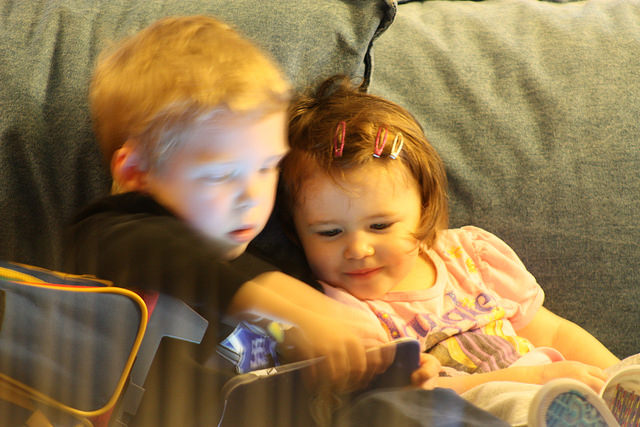
K. (2014, December 21). Teaching tech early, courtesy big brother. Retrieved from https://www.flickr.com/photos/printthis/17188061100/

I see what my 12 year old is doing at school – using his iPad to film the coke and mentos experiments in Science and then comparing his footage with that of friends who did the experiment on a different day, playing it back in slowmo to watch the reaction blow by blow, superimposing a friend’s face over a still of the fizzy foam so that he looks like he has a hoodie on … and wonder what on earth I can teach the generation of undergraduates that will be in my class next year or the year after? Will they need the same confidence and competence building exercises? How will I be able to co-teach these students with the postgraduates who still use Internet Explorer and have never used Facebook or Twitter?

The scatter of competencies among students has changed in the five years that I have been teaching the unit. I have noticed far more on the “more competent” end of the spectrum, but the students who are unfamiliar with tech are still as puzzled and stumbling in the same areas as their counterparts were five years ago. I wonder whether we will get to a point where the page that I am trying to get all students on to is a little more advanced than it has been in the past, and if so, what that will mean for the less tech-confident students who most need to learn about technologies for information services.

If you are an employer, or a student who has recently completed an Information Studies course, I would love to hear your ideas. At the moment I am firmly sitting on the fence…


 

If someone else is doing that, then I don’t need to…

blogjune

Andrew mused yesterday day about eServices librarians. He concluded that:

The question is, are eServices Librarians helping or hindering libraries? In an ideal world all our staff would be involved with eServices and the divide between the physical and digital branches minimal. …Ideally in the future we won’t need a separate role but integrated in all our roles, a digital Jiminy Cricket whispering in our ears.

joyous space

Orin Zebest. (2005). Joyous Space. Retrieved from https://www.flickr.com/photos/orinrobertjohn/50059475/

This touches quite a chord with me.

Previously I was employed in what was a dream position, that I more or less was allowed to write for myself. Unfortunately I didn’t get to write the rest of the organisation’s positions or allocate the resources just to suit me. ( How unreasonable ! 🙂 )

The intent was to look at new educational technologies, play with them, show them to people, advise about how they could be used, set up pilot projects … and then move on to the next shiny thing, rinse and repeat. You can see the problem there, right? I didn’t for quite a while. In all likelihood there would not be someone to pick up that pilot project once I moved on. My choice would be to say “I don’t care, not my responsibility” or to try to continue cossetting it beyond the pilot stage and into production… which would stop me nimbly leaping to the next investigation.

It also felt like, as Andrew pointed out, having my position meant that responsibility for technology was not evenly distributed in the organisation. Sometimes it felt like everyone else could tick the “keeping abreast of technology” box because my position existed. They may not be personally investigating new technology, but someone on staff was, so they were working for an organisation that valued this – without even having to engage with anything new.. I must stress that this is a caricature, not a description of anyone in particular’s behaviour, but I do understand Andrew’s suspicion that sometimes assigning responsibility for technology may result in less investigation across an organisation rather than more.

Tomorrow… how Andrew’s thoughts resonate in my job currently… (but with far less toast than his follow-up post …. although there may be a teaspoon post coming up later…)


Have images? We can always play…

blogjune

Yesterday I asked how the GLAM sector can maximise both use and support for our image collections, and whether these two things may involve contradictory actions, Images. We have old images. Now what? .

Of course, we can always try different methods of discovery and do silly and amusing things to attract new users, making the very serious point that the collections are actually there. We can also promote serendipity; something that is often lamented as vanishing by the wayside as we digitise…

So, it’s nice to know that Tim Sherratt, Manager of Trove (and academic at the University of Canberra) has continued his experiments with using facial recognition software to sense-make from large wodges of historical documents.

Tired of your old face? Then visit Dr Sherratt’s Vintage Face Depot .

Follow the instructions on the site and you too may find yourself tweeting something that looks like Image A to @facedepot ….

FaceDepot1

….and both discovering a new tiny corner of the Trove Newspapers database and looking as attractive and glamourous as Image B….. FaceDepot2

Images. We have old images. Now what?

blogjune

I enjoy playing among the Flickr Commons, for example doing a search on  a random word such as “bunny” and seeing what I can find.

Whenever I make a website and need a placeholder I tend to use the image below  from The Library of Virginia, that has no known copyright restrictions:

EasterBunny

I teach in a degree that professionally accredits graduates to be librarians and archivists and records managers.

As I review what I teach, where the emphasis should be, I am becoming more convinced that in libraries more of the focus in the future will be on preserving, organizing and sharing our original and unique works, than on providing access to content that is available from many, many other sources.

The GLAM sector has so many old images that could be so * useful *, so *interesting * – if we could just work out the best way to get them out there in the playspace of people who would appreciate this. Although there have been fabulous initiatives, such as the State Library of Queensland donating 50 000 images to the Wikimedia foundation , I am not sure we have been consistently able to get in the faces of people who could love us best.

This is not just about being useful, but about maintaining our funding by making obvious the link between this great resource and the institutions providing it. There is a tension there, however, as seeding our images in sites where people are already using images (Instagram, Twitter, Pinterest) means the interpretive information and metadata that we LOVE to add to our images tends not to travel with the image. Even attribution information will often not remain when the image is reused and loved.

I have often grumbled that librarians missed the boat and should have invented Google  – and used our expertise to create an Amazon for that matter … And now, after accidentally finding an article about the @historyinpics Twitter account, I can add another “why didn’t we all work together and use our claimed expertise to do that FIRST??” disgruntled and pointless and unfair whine.

I am not sure the link that led me today to this 2014 article in the Atlantic Magazine about  The 2 Teenagers Who Run the Wildly Popular Twitter Feed @HistoryInPics.

Basically they sniff about the net and find images that attract many, many more retweets than almost any other Twitter account. Consistently. They now attribute the photographer, which was not happening when the Atlantic article was written – but there is no sight of the actual source of the image at all… According to the article, these guys are making serious money from the practice, as they point users eventually back to a webpage full of Buzzfeed-type clickbait lists, where they sell advertising.

Have a look at the article, and the Twitter account, and then answer me this rather convoluted and rhetorical question…

Given that libraries didn’t think to do this first (and we should have), should we now be hoping that our images get picked up by this account (and exposed, and loved and reused and made useful!!) or should we be running and hiding and not letting our darlings go out and play with them because something like this gives the impression that we don’t need to fund libraries and archival image collections because you can get this type of thing for free and so conveniently ?

Context? Accuracy? What type of fuddyduddy needs them?

(For a more detailed treatment of the topic, have a look a Rebecca Onion’s February 2014 critique in Slate from a historian’s point of view – Snapshots of History: Wildly popular accounts like @HistoryInPics are bad for history, bad for Twitter, and bad for you ).


Almost as good as a jetpack: Tineye, shazam, snaptell #blogjune video post 5

blogjune

Tonight for my week of video blogging I used Camtasia to create a screencast showing a tool that locates images on the web – where you start with the picture and then use Tineye to find other information about it.

Twenty years ago I worked in a library that had three filing cabinets full of art slides – huge numbers of them that needed to be filed each night. If you explained a tool like Tineye to my younger self, I think she would have predicted that jetpacks and flying cars were more likely by 2011.

Here is the screencast: Tineye is my flying jetpack. It looks best in full screen mode.

Sites mentioned in the screencast:

Post number 21 for #blogjune 2011.

Pronouncing Libguides, Omeka, LibX and others #blogjune video post 4

blogjune

I left my regular laptop at work, so for this post in my week of video posts I recorded straight to YouTube using my old laptop.

(If you have not watched Michael Wesch and his students’ insightful exploration of what it means to upload to YouTube from your webcam it is worth checking it out: Wesch, M. (2008, July 26). An anthropological introduction to YouTube. Library of Congress. Retrieved fromhttp://www.youtube.com/watch?v=TPAO-lZ4_hU&feature=youtube_gdata_player )

Today I do what could not be done with regular blogging – share how I think common library tech tools are pronounced. I wonder whether I got them all right… Zotero, Libguides, GNU, Omeka, LibX – how do you pronounce them?

Post number 20 for #blogjune 2011.

What would good online LIS education look like?

blogjune

This movie is my post to the Australian Library and Information Association’s Sydney blog for 17 June 2011.

I talk about what I think online learning would look like if the Spirit of Ranganathan waved his magic wand and made it work. I start with what I think we aim to do when we teach information professionals at university,  and then look at what online learning could do to reach those goals. What would good online LIS education look like?

On my wishlist is:

  • teachers using online video
  • easy to use self-managed online content management systems for those who know how
  • more remote involvement by people with international and professional expertise
  • more self-marking exercises
  • better peer-marking systems
  • easier ways for students to share their discoveries with each other
  • automatic assessment metrics (like Google analytics for course material usage).

I also wish for more opportunities for face to face contact among online students in ways that promote genuine social learning, rather than fake conversations for assessment purposes.

During the movie, I mention some specific resources.

  1. Chris Anderson talking about the revolution in communications brought on by video: http://www.ted.com/talks/chris_anderson_how_web_video_powers_global_innovation.html
  2. Kate Davis using WordPress in LIS education: http://virtuallyalibrarian.com/2011/06/09/the-social-classroom-presentation-on-teaching-in-social-media-spaces/
  3. Michael Stephens and Kenley Neufeld using WordPress in LIS education: http://www.alatechsource.org/blog/2011/05/buddypress-libraries-and-higher-education-an-interview-with-kenley-neufeld-and-michael-
  4. Australian Teaching and Learning Council “Re-conceptualising and re-positioning Australian library and information science education for the twenty-first century” project site: http://www.liseducation.org.au/